Key Terminology

Last updated 9 days ago

Introduction

Getting started with Building Swell means configuring a few key elements—but how do they all work together? This guide breaks down each piece and shows how they connect to form a complete workflow.

Stages

Stages are the core checkpoints in your process—each stage representing a physical station or key milestone in your prefab process.

Example: You might have a Stage for cutting materials, another for assembling parts, and another for doing quality checks before shipping.

Steps

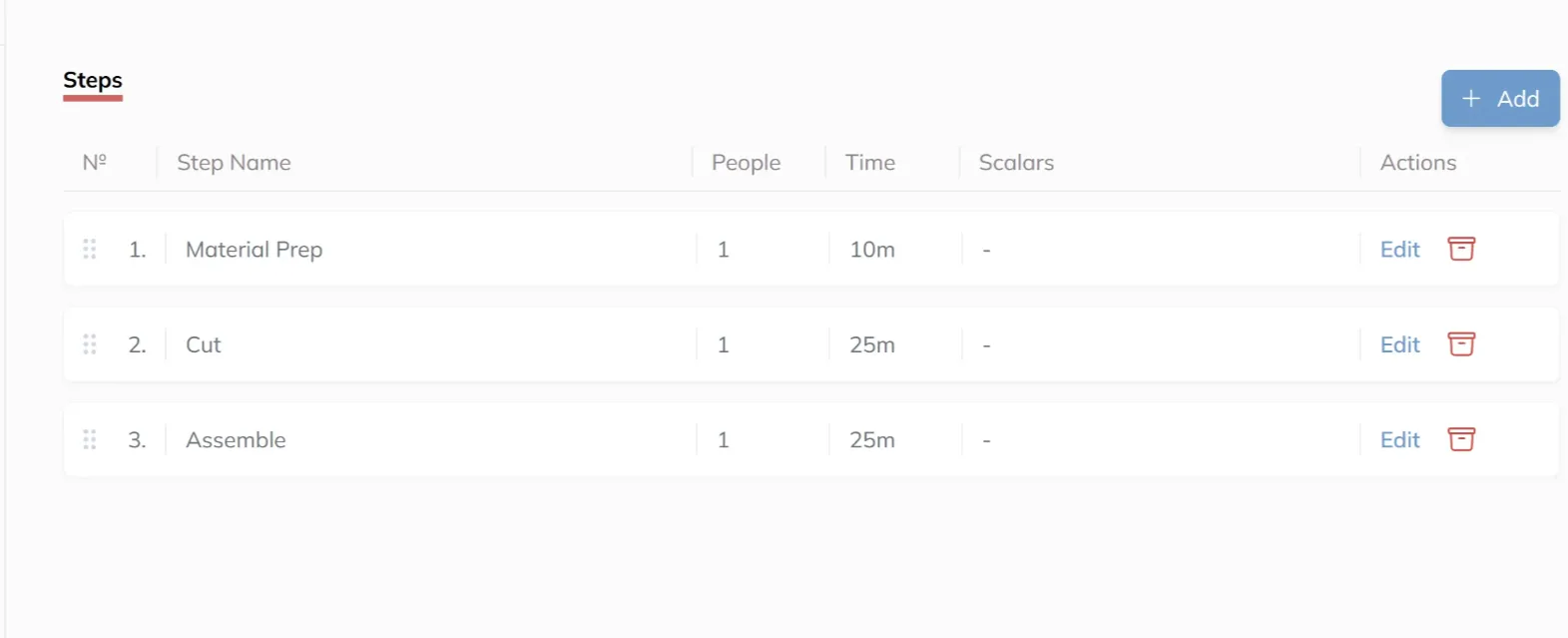
Steps are the required actions within each Stage. These are the granular tasks that must be completed before a Stage can be marked as done. For example, if we open up the details for the Frame Assembly Stage, we can see a list of Steps that ensure accurate and consistent completion of that part of the process.

Example: If the Stage is "Assembly," the Steps might include lining up parts, fastening them together, checking measurements, and labeling.

Process Routes and Department Routes

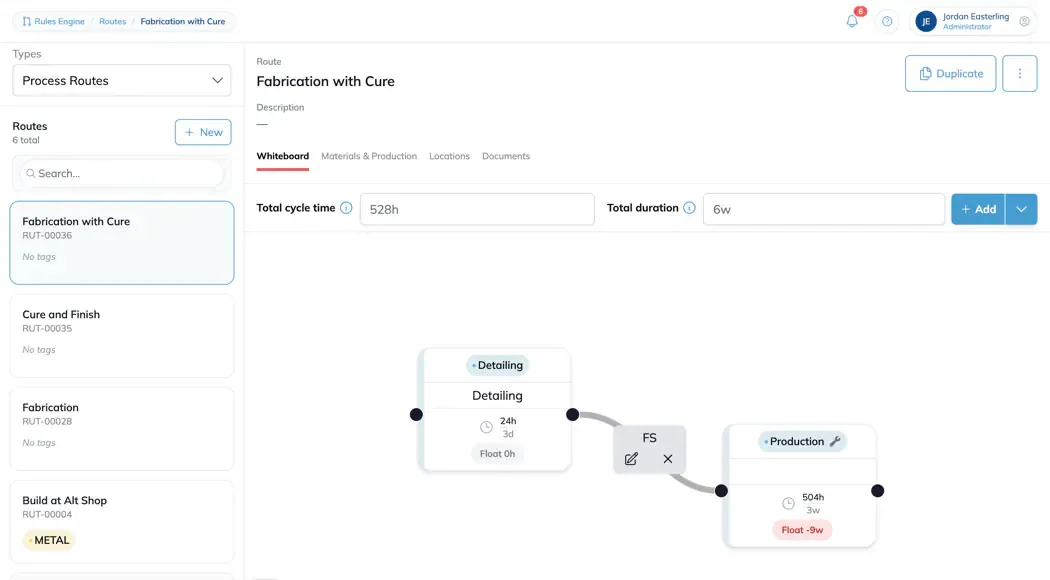
A Process Route describes a process on its own, independent of any one department. A Department Route is that process as a specific department runs it. Department Routes carry that department's shift, which is what drives their Duration.

Cycle Time

The work content of a Stage or Step, in hours. Shift-agnostic: four hours of labour is four hours whoever works it and whenever.

Duration

Cycle Time wrapped into the shift the work runs on, shown in weeks, days, hours, and minutes. The same Cycle Time produces a different Duration on a different shift.

Float

Duration minus Cycle Time. The calendar time the shift adds. It isn't slack you can spend.

Wait Step

A Step with no labour, such as curing or drying. Set its People count to 0. A Wait Step is pure elapsed time including weekends, so its Duration ignores the shift and tracks raw Cycle Time.

Routes

Routes are structured sequences of Stages that define the complete workflow a product must follow from start to finish. Essentially, Routes group multiple Stages in a specific order to represent the full process—from initial setup to final completion.

Each Route provides a repeatable blueprint that ensures consistency, traceability, and efficiency in your process. By clearly defining the order of Stages, Routes help align your team around a standardized path, reducing errors and increasing visibility across your workflow.

Example: A Route might start with prep, then move to assembly, testing, and finally packaging.

Projects

Projects act as the umbrella for all work tied to a specific client or job site, helping you organize and track progress across multiple deliverables.

Example: You might have a Project for a new building where you're fabricating all the electrical, mechanical, and control assemblies.

Orders

Orders define the specific items or assemblies that need to be fabricated to fulfill the requirements of a given Project. Projects can contain multiple Orders.

This structure allows you to:

  • Track multiple manufactured components under a single Project.
  • Ensure each Order follows a defined and consistent production process via its associated Route.
  • Gain clear visibility into the status and progress of work tied to any job site.

Example: If a Project is for a new building, one Order might be for wall-mounted electrical boxes, and another for mechanical pipe spools.

Phases

Phases represent the high-level lifecycle stages that an Order moves through, providing broader context. Phases are a series of Routes that show where an Order stands in its broader lifecycle.

Example:

  • Design
  • Procurement
  • Prefab
  • Delivery

Summary: How Everything Connects

To understand how the key components of the Building Swell platform fit together, think of them as a nested hierarchy of workflow and execution:

  • Steps are the individual tasks within a Stage.
  • Stages are milestone-based groupings of Steps that form a Route.
  • Routes are sequences of Stages that complete a Phase.
  • Phases are collections of Routes that make up an Order.
  • Orders represent all items to be fabricated for a Project.
  • Projects are the full scope of work for a single job or client.

This structure allows you to manage complexity while maintaining consistency and traceability across your entire operation.