Document Integration
Connect an external document account so your team always opens the current shop drawings.
Last updated About 1 month ago
Introduction
Document integrations in Building Swell simplify access to essential shop drawings and documents, ensuring your team always has the most up-to-date information. This guide will walk you through the setup process, making it easy to connect your external account and manage document access.
Step-by-Step Guide
Setting Up Document Integrations
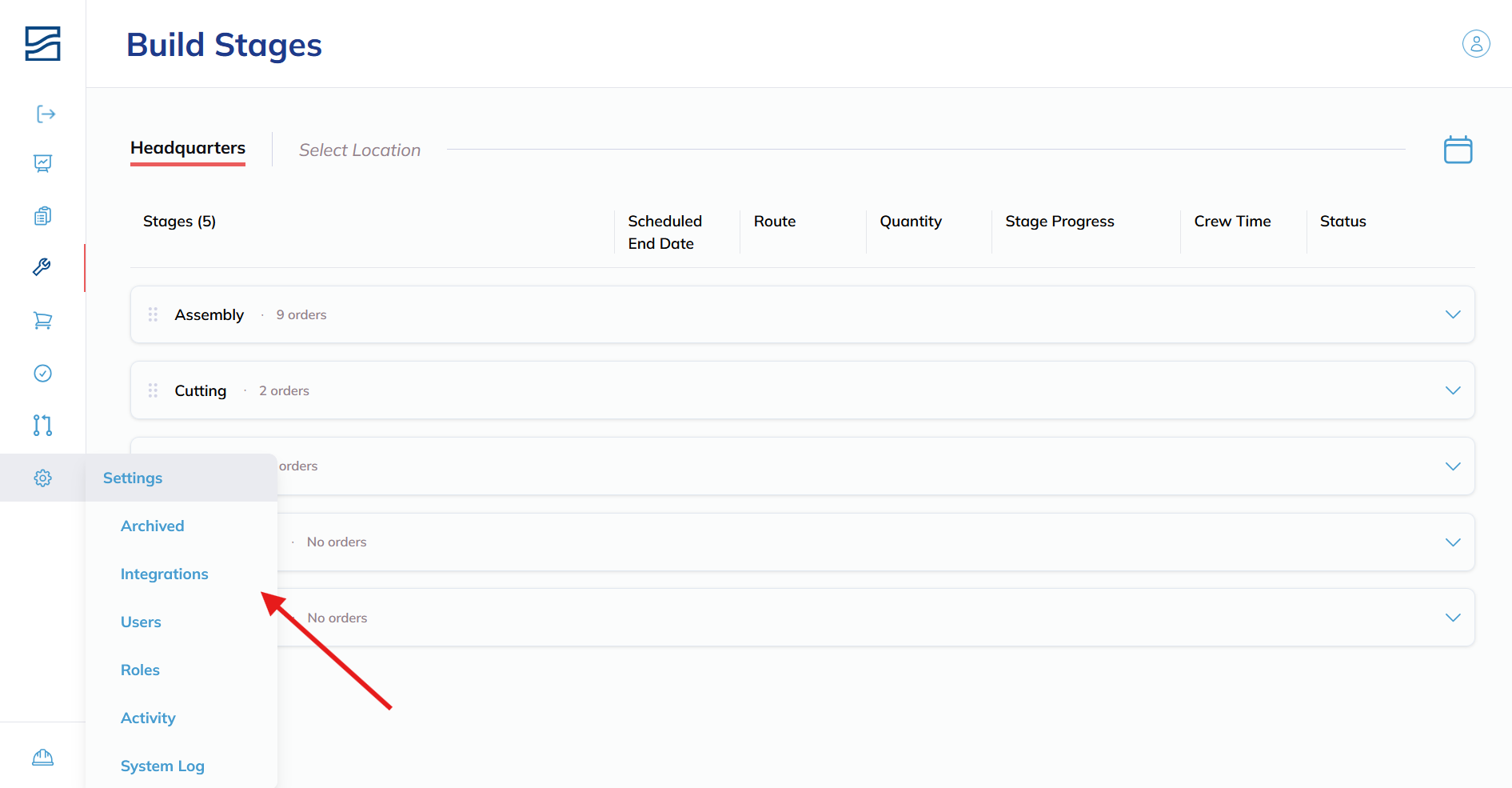
- Open Integrations
-
Click Integrations in the left sidebar. It is a top-level module, not a Settings sub-page.
-
- Connecting Your Microsoft Account
-
Click on "Connect My Account."
- You will be redirected to a Microsoft login screen.
-
- Log into Microsoft Account
-
Enter your Microsoft account credentials.

We recommend using an account with limited access to shop-relevant documents or creating a unique account for this purpose.
-
- Initial Scan
-
After successful login, Building Swell will begin scanning your documents to match them with relevant builds.

- You can leave this screen during the scan, grab some coffee, and return later.
-
Updating or Changing Accounts
- Changing the Account
- To switch accounts, click the "Change Account" button and follow the steps above.
- Rescanning Documents
- If you've recently added a large batch of new documents or migrated to a new folder, click the "Sync Now" button to re-scan.
This guide covers the Microsoft and Sharepoint connection, which is about documents. Building Swell also connects to Smartsheet, which syncs orders and progress rather than files. See Smartsheet Integration.
Tips and Best Practices
Account Selection
Choose an account with access only to the folder you wish to share with the shop team. This makes it easier to manage document access and ensures only relevant information is matched to shop work.
IT Coordination
In some cases, your IT team may have specific policies or requirements for setting up document integrations. Reach out to your Building Swell point of contact if you have any questions or need assistance during the setup.
Conclusion
Document integrations in Building Swell streamline the process of accessing and managing essential documents, ensuring your shop team has the information they need at their fingertips. Follow these steps to set up and maintain your document integrations efficiently.
Still need help? Ask the team