Order History
See every change made to an order, who made it, and when, from the History tab.
Last updated 4 days ago
Introduction
Orders change all day. A due date moves, a status flips, someone gets pulled off a stage. The History tab records all of it: every change to an order, newest first, with who made it and when.
Step-by-Step Guide
Where History Lives
Open an order and click the History tab in Order Details. It opens on the whole order: every phase, component, and stage underneath it.
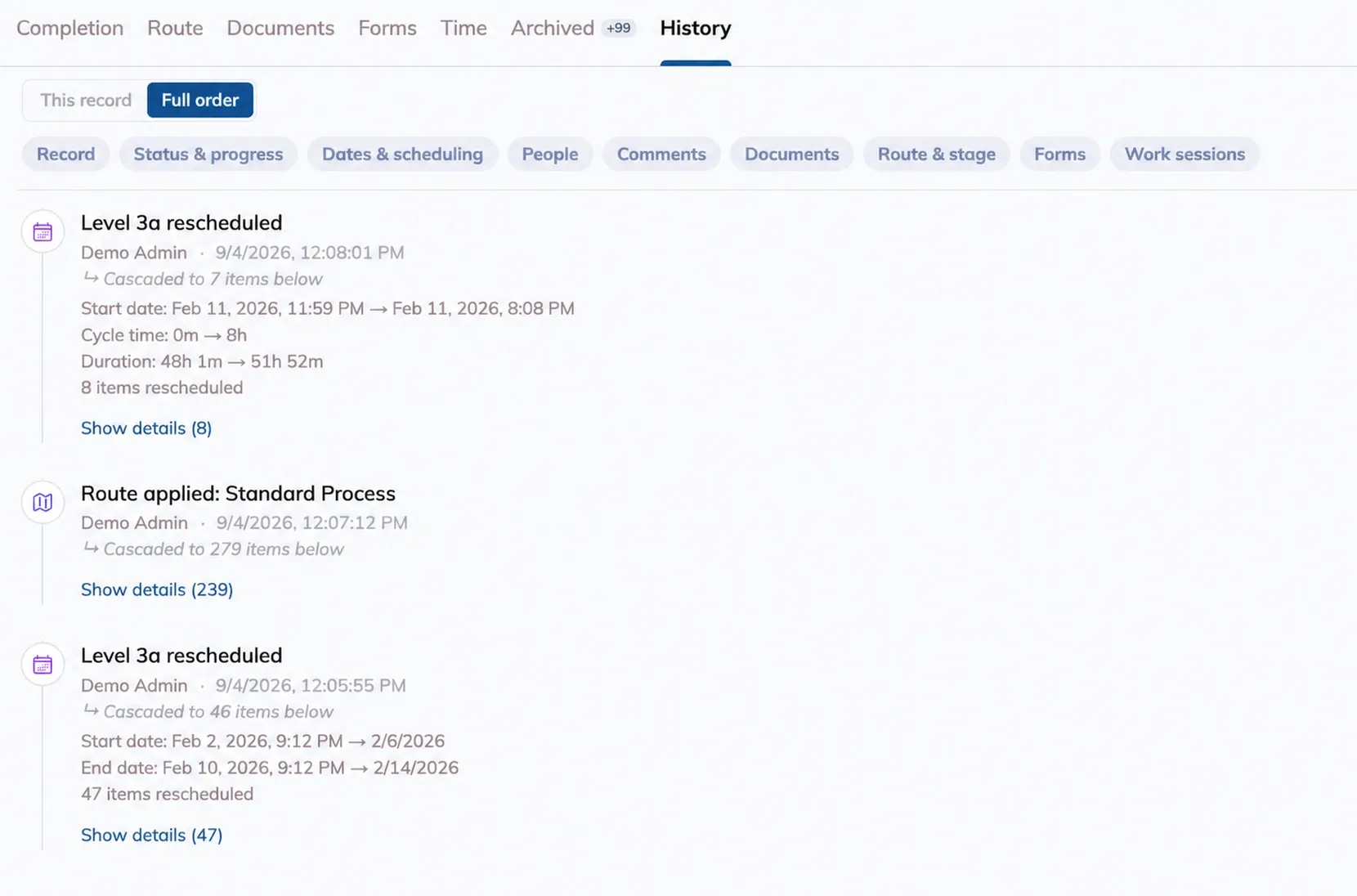
From Planning, click into a phase, component, or stage and its edit tray has a History tab too. It's the same log, scoped to whatever you opened.
Reading an Entry
Each entry is one plain-language line: "Unit 2002 completed," "Unit 2002 due date 6/30/2026 → 7/14/2026," "Maria assigned to Cut." Underneath it, who made the change and when, in your local time.
System means Building Swell made the change on its own, not a person.
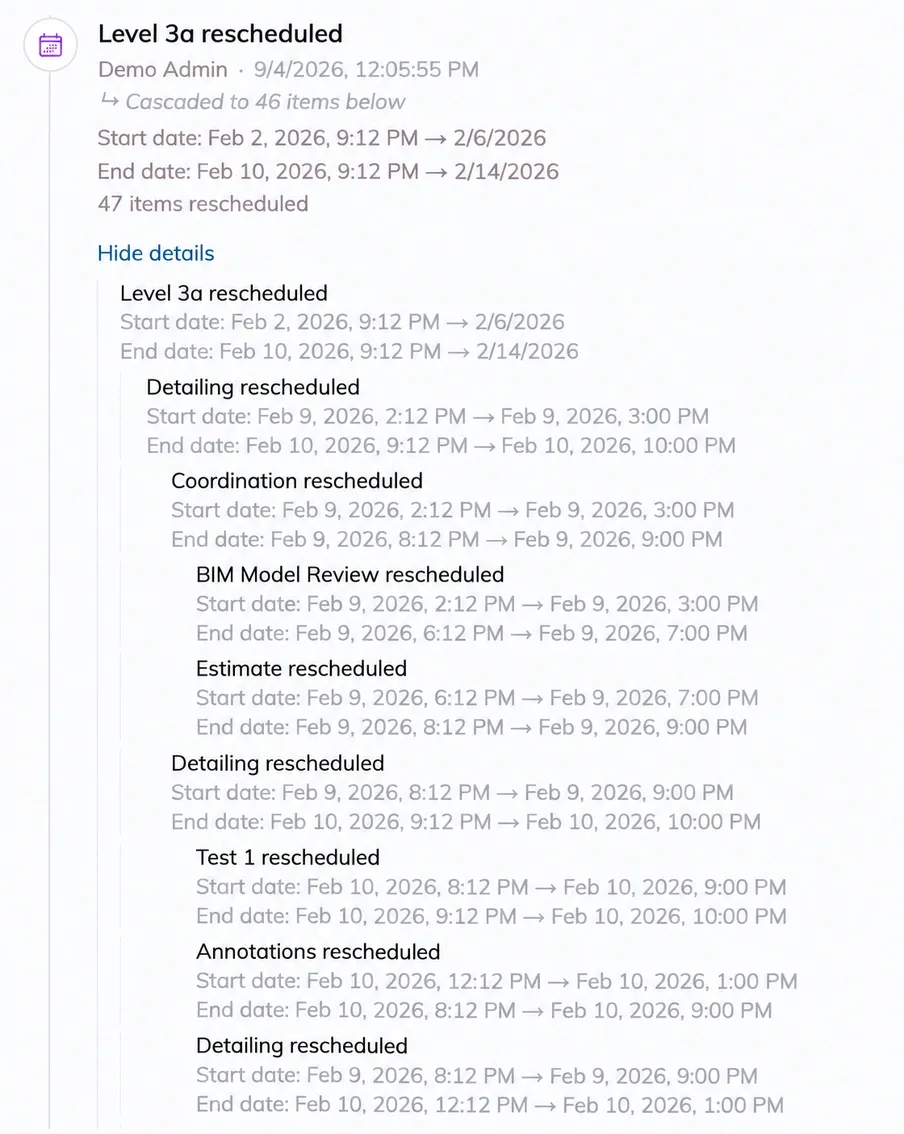
When one change sets off others, an italic line says so: "Because Phase A rescheduled," "Cascaded to 14 items below," "Rolled up to Order X." Moving a due date that shifts 40 other dates is one entry, not 40. Click Show details to see everything that one action touched, laid out as a tree.
This Record vs. the Full Order
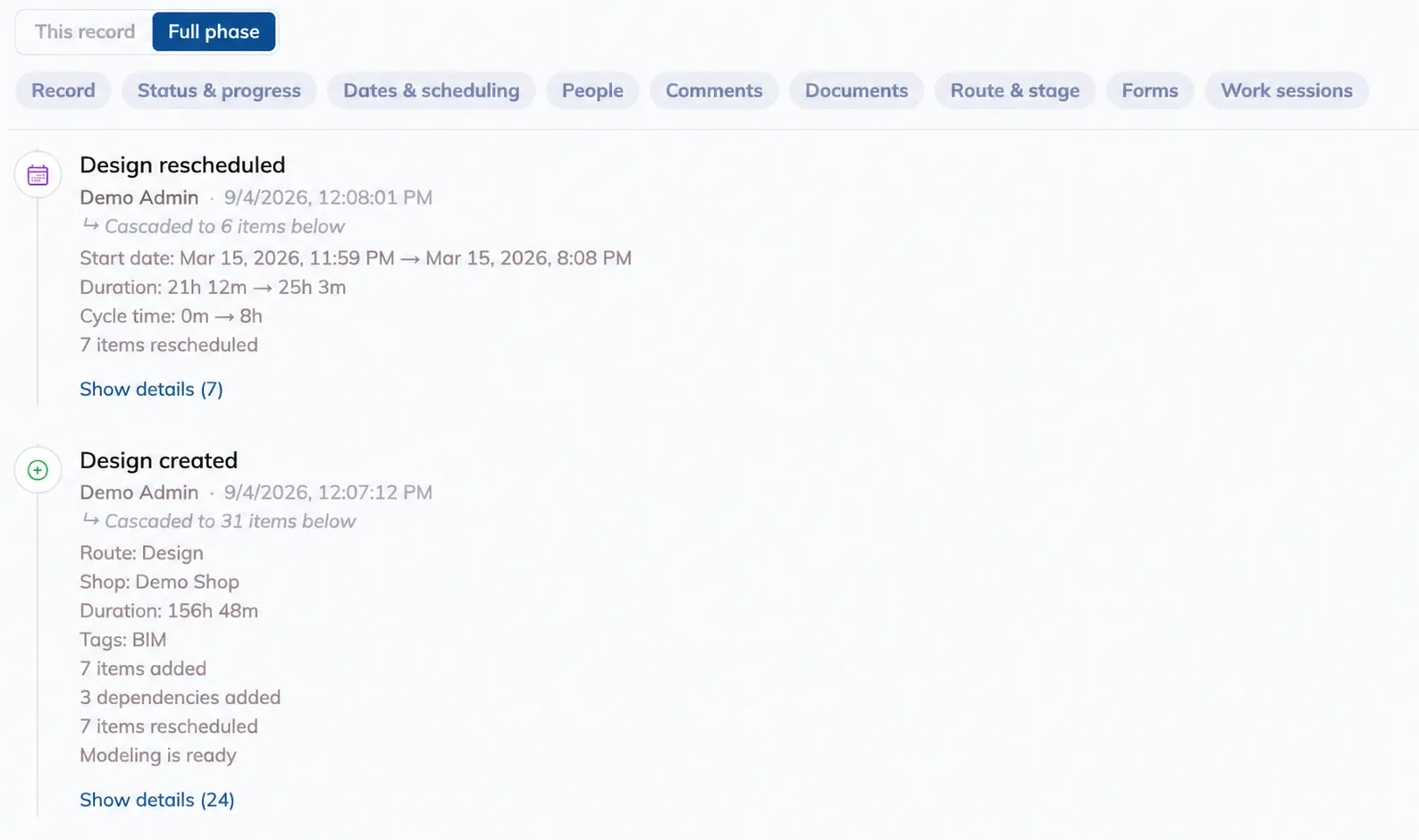
A toggle at the top of the tab controls how much you see.
Why a phase and its stages sometimes look identical
Work sessions and form entries live on stages, not on the phase above them. On a phase that only holds stages, This record and Full phase show the same list, because there's nothing at the phase level to leave out.
Filtering by What Changed
Chips above the list narrow it to one or more kinds of change: Record, Status & progress, Dates & scheduling, People, Comments, Documents, Route & stage, Forms, Work sessions. Pick none and you see everything.
What Each Kind of Entry Says
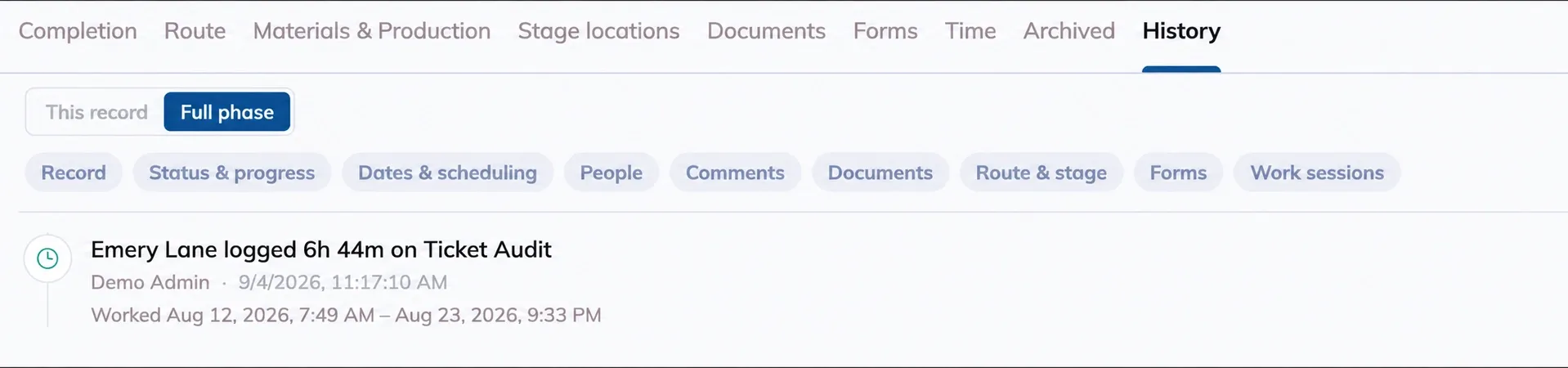
Work session times are when the work happened
A session logged after the fact, like a timesheet correction, shows the actual hours worked, not the moment someone typed it in.
Tips
Filter before you scroll. Chasing a moved date is a Dates & scheduling job. Checking who worked a station is a Work sessions job.
Switch to This record on a stage when you want one station's check-ins without the rest of the order around them.
Open Show details on any count line. "Cascaded to 14 items below" doesn't say which 14. The tree does.
Have additional questions? Reach us at support@buildingswell.com.
Was this helpful?
Still need help? Ask the team